
What your booth looks like
On 19 September 2026 the festival takes place in a virtual world: a visitor walks between booths as a character and steps into yours. This page is about how a booth looks from the inside, what works on it, and which materials we need from you. Terms, prices, and the application are on the Exhibitors and Booths page.
Where the booth stands
Booths stand in the pavilion hall around a central plaza: a visitor appears under the entrance arch next to the Benchy statue, and the aisles between the rows start there. Large booths take the middle rows, small booths line the walls, and the wooden pavilions under arches are the university quarter. A visitor walks the aisle, sees your logo on the screen above the booth, and steps inside — from that moment they are in your voice room.
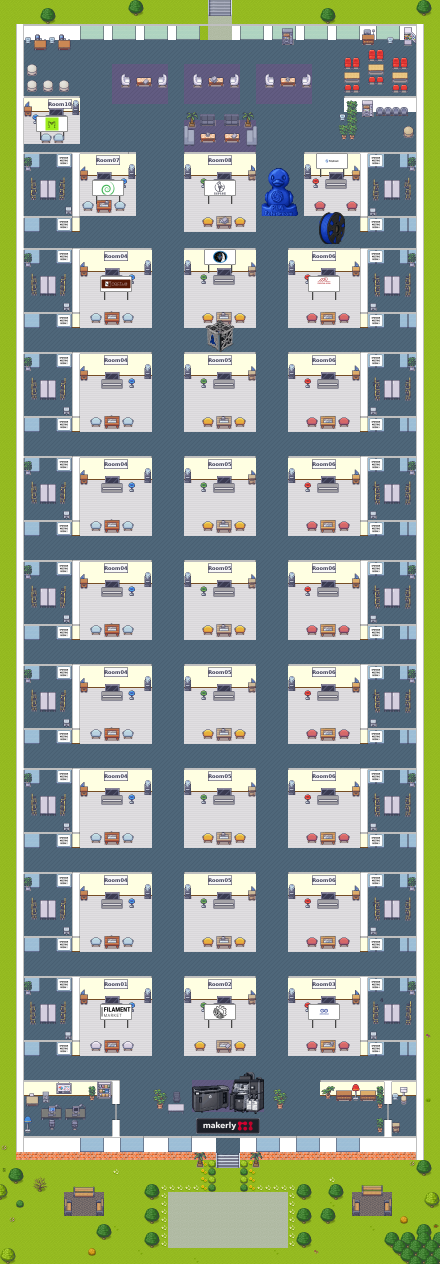
Four examples
Booths differ because we build them from your materials. One thing is always the same: your logo on the screen above the booth, exhibits on the floor, and a click on any of them opens whatever you tell us to open. The frames are from the live world as of 17 September 2026.
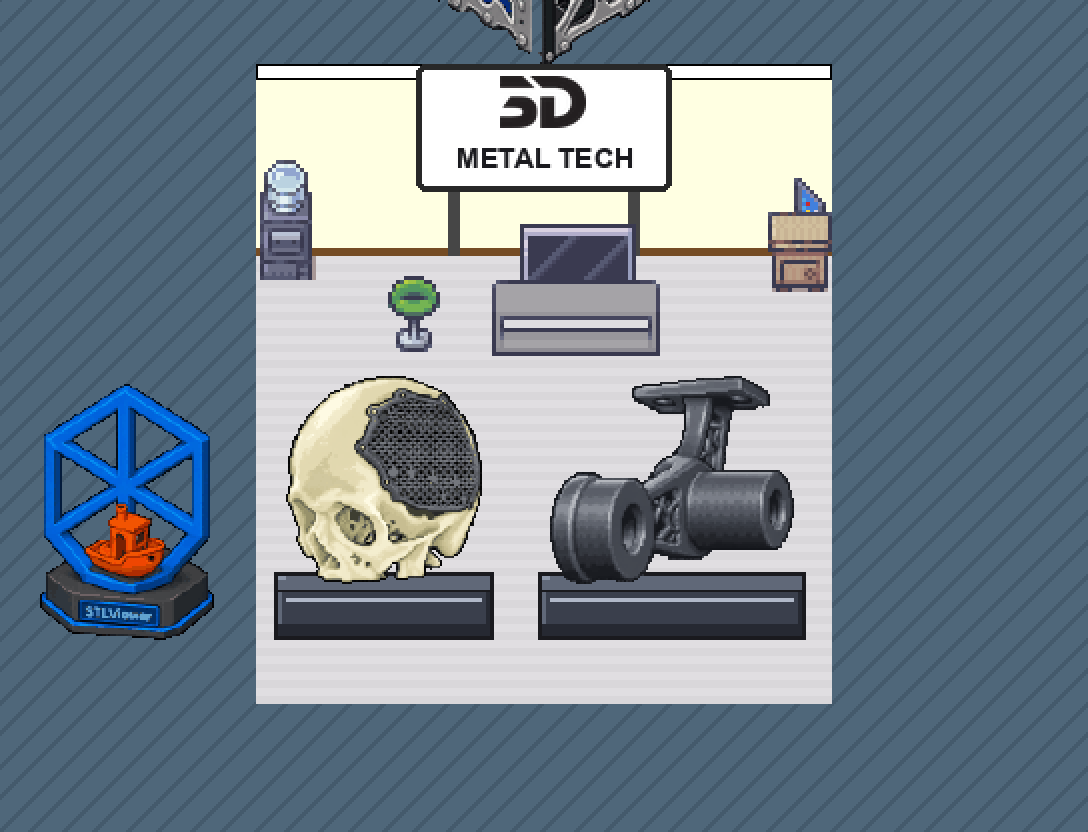
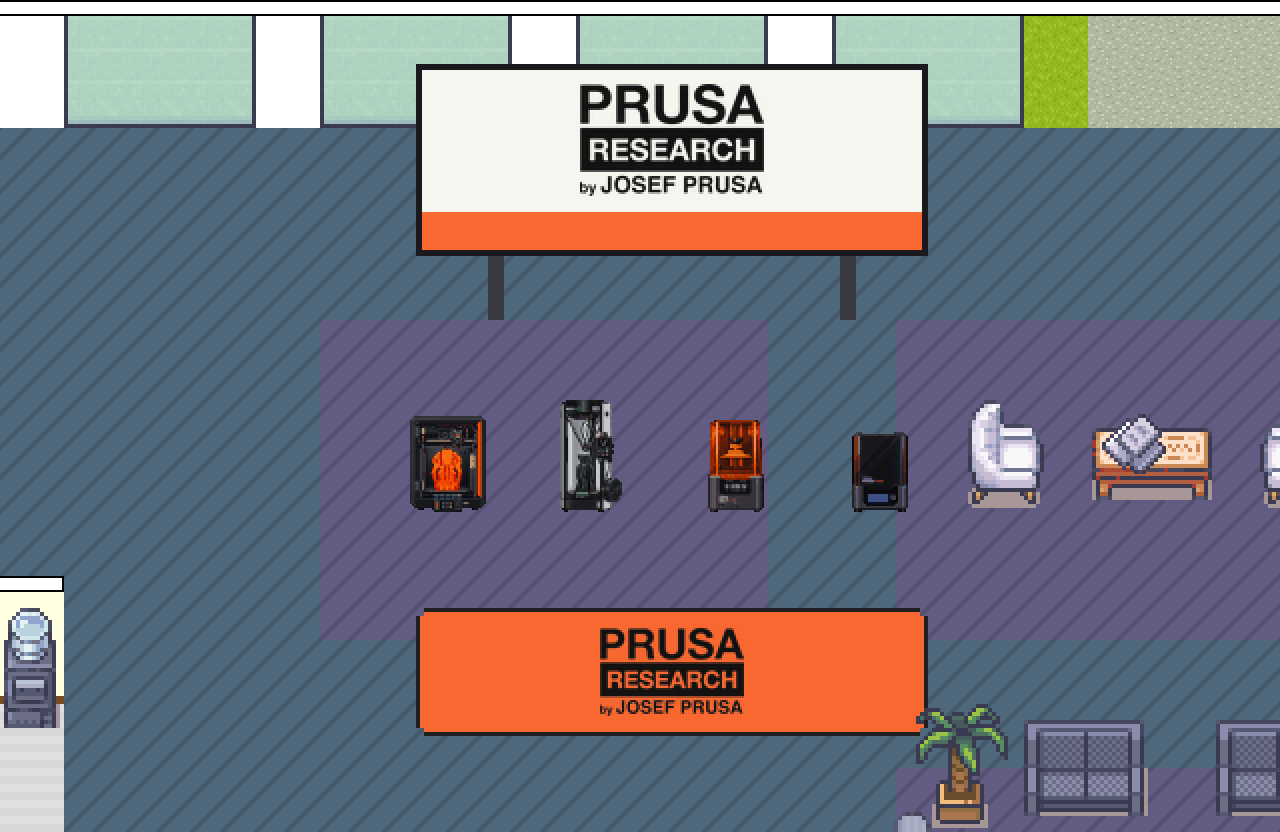
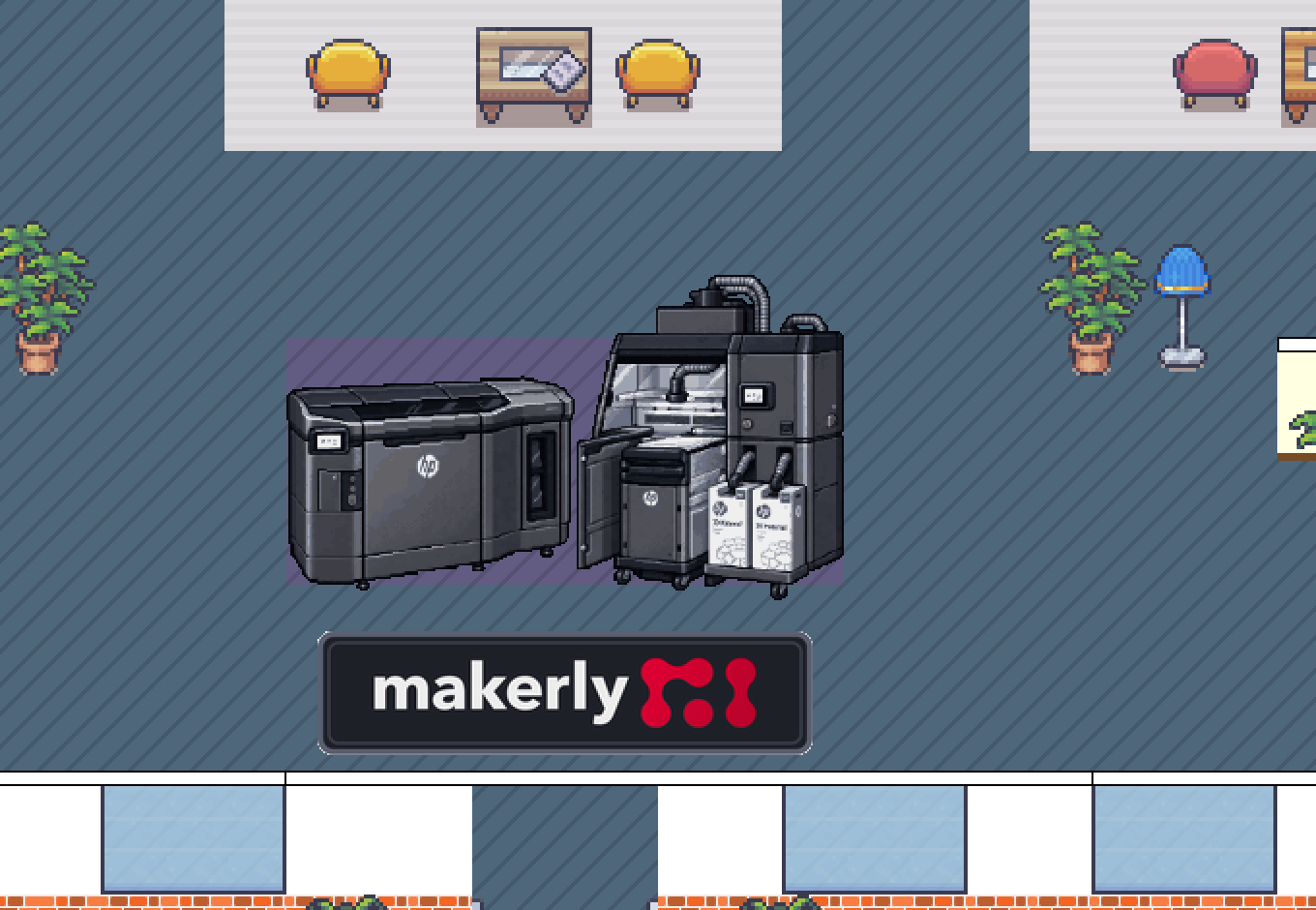
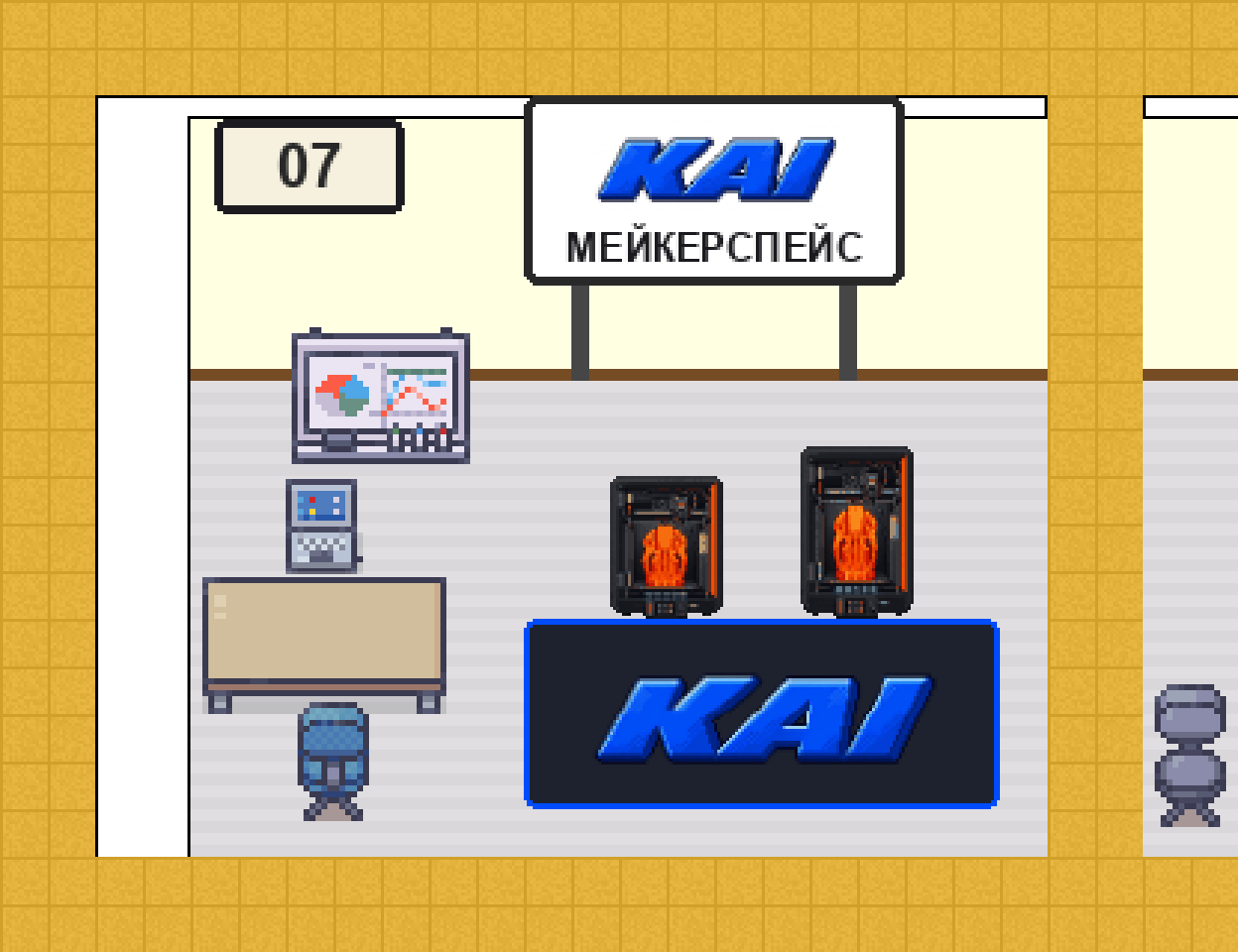
An exhibit does not have to be a finished product: a printer, a spool, a part, a mascot, or a trophy all work. A click on it opens your website, catalogue, PDF, or video.
What works on the booth
- The voice room. A visitor enters the zone and is already talking to you: voice, video if you wish, screen sharing. The room can be locked for a private conversation.
- The sign with your logo on the booth wall; a click on it opens your website.
- The name and description of the zone — one or two sentences a visitor sees on entering. The name is what people find the booth by in the world search.
- The website button — it can lead to a catalogue, a festival offer, or a form rather than to your home page.
- A card in the exhibitor list on this site and a “Meet the exhibitor” post in the festival social media.
And what a booth cannot do, so that nothing surprises you on the day. The voice room is comfortable for up to twenty people at once: for a large audience there is a talk in a hall. Files and slides are not uploaded into the world — everything goes through links or screen sharing. The chat is shared by whoever stands nearby; there is no separate booth chat. One avatar is one browser tab, so two people on a booth work from two computers.
What to send us
This is what we build the booth from. You can give links to the files right in the application; send the files themselves after confirmation through contacts. A booth takes two to three days to build, so the earlier the materials arrive, the more time is left to show you the booth and fix things.
- The logo — SVG or PNG at least 1000 px wide, on a transparent background. If your logo has white text (the version for a dark site header), send the dark version too: white text disappears on a white sign.
- The link — where exactly a click should lead.
- The description — one or two sentences: who you are and what you show at the festival.
- Photos of the exhibits — one or two items. PNG with a real transparent background, one item per file, at least 800 px on the longer side, shot from the front or slightly from above. An ordinary photo on a plain background is fine: drawing the pixel object for the world is our job.
- The booth staff — who will be on the booth, and at what hours.
Out of your materials comes a set like this — the logo on the booth screen and the objects we place on the floor:
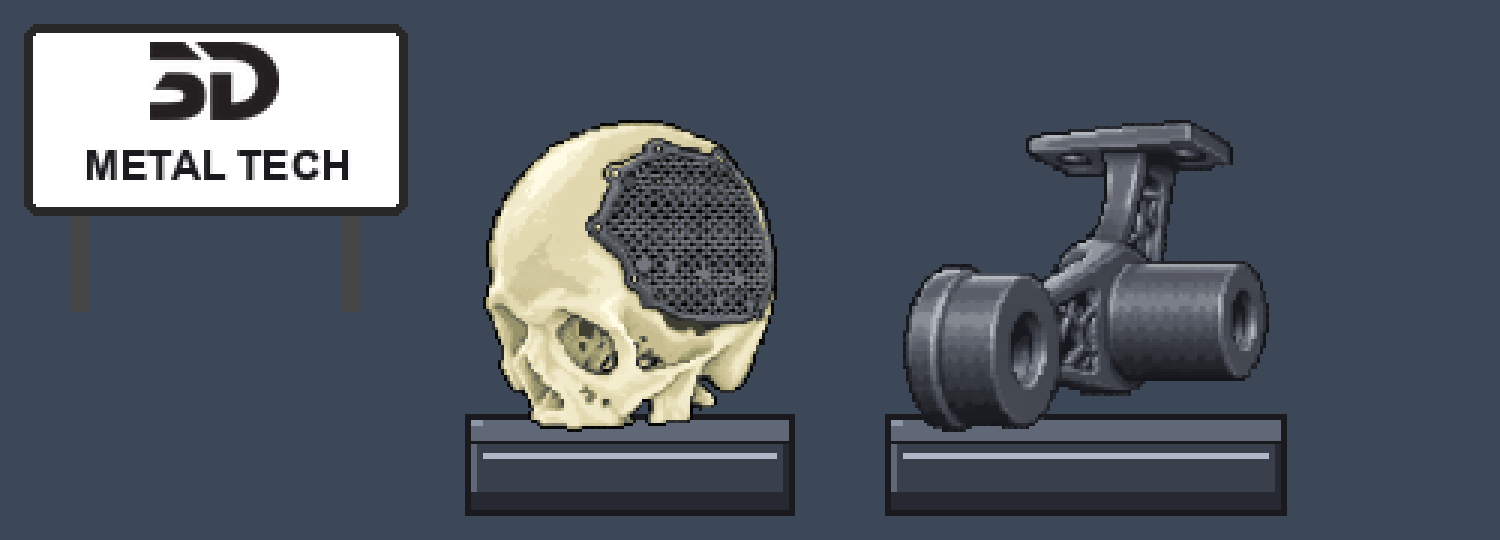
Three details that spoil the result most often. A chequerboard drawn into the picture itself is not transparency — a real alpha channel is needed. Cutting one item out of a composition or a scene works far worse than a photo of a single item. And a picture smaller than 800 px turns to mush, with nothing to save it.
The day of the festival
- A few days before the event we send the link to the world and hold a short rehearsal: you come in, check the sound, and look around your booth.
- You need a computer, Chrome, Edge, or Firefox, and a headset. Phones and Safari work worse — not an option for staffing a booth.
- Enter your name as “Name — Company”: the visitor then sees at once who they are talking to.
- Stay inside the booth zone. Anyone who enters and finds nobody there simply moves on.
- Two people per shift work better than one: the first talks, the second writes in the chat and drops links. At the very least, plan your breaks.
- Announcements from the organizers arrive by megaphone across the whole room: “on stage in ten minutes…”.
Frequently asked questions
Do we need to install anything? No, only a browser. No registration either: you follow the link, type a name, and pick a character.
Can we change the materials later? Yes, up to the day of the festival. But the closer to 19 September, the smaller the chance to check the booth together with you.
Can we place something on the booth ourselves? Furniture from the world library — yes, if you ask for editor rights. Your own images we add for you.
What happens to the booth after the festival? We plan to keep the world open after 19 September — the booth then keeps working as a showcase.